How to Become a Seller on ShopOpen24: Complete Step-by-Step Guide
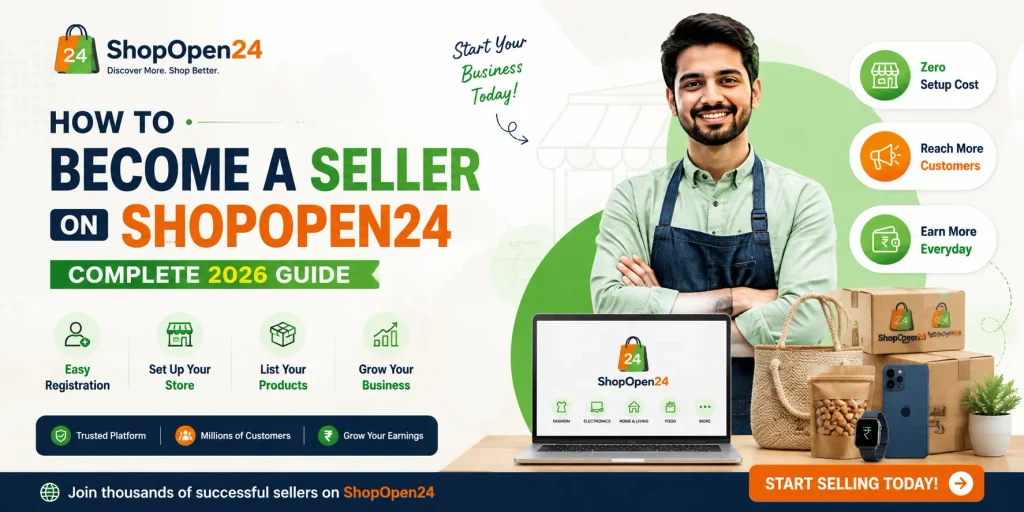
If you make handmade crafts, cook homemade food, run a fashion label, or sell everyday products locally, learning how to become a seller on ShopOpen24 is one of the easiest ways to reach more customers online without building your own website from scratch. ShopOpen24 is a local online marketplace built to connect small businesses, home-based sellers, and local shops with customers across Kerala and the rest of India — covering categories like local products, fashion, food, and handmade items.
In this guide, we’ll walk through exactly how to become a seller on ShopOpen24, what documents you need, how the vendor dashboard works, and how to set up your store the right way so it starts getting orders quickly.
Why Sell on ShopOpen24?
Before we get into the registration steps, it’s worth understanding why local sellers are choosing ShopOpen24 over building an independent website or relying only on social media:
- Built-in local audience: ShopOpen24 is designed specifically for local products, fashion, food, and handmade goods, so the customers browsing the marketplace are already looking for exactly what small sellers offer.
- No website needed: You don’t need any coding or design skills. Your shop page, product listings, and checkout are all handled for you.
- WhatsApp and UPI integration: Sellers can add a WhatsApp number so customers can reach out directly, and a UPI ID so buyers can pay sellers directly — useful for home businesses that want a simple, familiar payment flow.
- Dedicated vendor dashboard: Once approved, sellers get access to a dashboard to manage products, track orders, and update shop details.
- Support for food businesses: ShopOpen24 has a specific onboarding flow for food sellers, including fields for FSSAI registration, business type, and certificate uploads — which matters a lot if you plan to sell homemade food, bakery items, or packaged food legally.
- Multiple categories under one roof: Whether you sell fashion and clothing, food and homemade items, handmade crafts, or general local products, there’s a category built for your store.
Who Can Sell on ShopOpen24?
ShopOpen24 is open to a wide range of sellers, including:
- Home-based food businesses (homemade food, home kitchens, bakeries)
- Restaurants and food manufacturers looking for an additional sales channel
- Fashion and clothing brands, boutiques, and independent designers
- Handmade and craft creators (jewelry, art, décor, gifts)
- General local product sellers who want an online storefront
If you already run a small shop or a home business and want an online presence without the cost of building one yourself, this marketplace is built exactly for that use case.
Step-by-Step: How to Become a Seller on ShopOpen24
Here’s the complete process for how to become a seller on ShopOpen24, from registration to going live.
Step 1: Visit the Vendor Onboarding Page
Go to the official ShopOpen24 Vendor Onboarding page. This is where all seller registration happens — you’ll see both a login section (for existing vendors) and a registration form (for new sellers).
Step 2: Fill in Your Basic Details
In the registration form, you’ll need to provide:
- First Name and Last Name
- Email Address – a link to set your password will be sent here, so use an email you check regularly
- Phone Number
- Complete the anti-spam verification to confirm you’re not a bot
Double-check your email address before submitting, since your account setup link depends on it.
Step 3: Set Up Your Shop Details
Next, you’ll create your store identity:
- Shop Name – choose something that reflects your brand and is easy for customers to remember and search for
- Shop URL – this becomes your unique store link on ShopOpen24 (in the format
shopopen24.com/store/your-shop-name), so keep it short, relevant, and easy to spell
A clear, well-branded shop name and URL also help your store rank better when customers search for products like yours, both inside the marketplace and on Google.
Step 4: Add Your Address and Contact Information
To complete your seller profile, fill in:
- Street address (and Street 2, if needed)
- City
- Post/ZIP Code
- Country and State
- WhatsApp Number – customers can message you directly through this number, so make sure it’s active and monitored
- UPI ID – this allows customers to pay you directly, which is especially useful for home sellers and small businesses that want a simple, trusted payment method
Accurate location details also help ShopOpen24 show your store to nearby customers, which matters a lot for a local marketplace.
Step 5: Complete Food Seller Information (If Applicable)
If you’re planning to sell food products, ShopOpen24 has a dedicated section for this, since food businesses need to meet certain legal requirements. You’ll be asked for:
- Food Business Type – choose from Homemade Food, Home Kitchen, Bakery, Restaurant, Food Manufacturer, Packaged Food, or Other
- FSSAI Registration/License Number
- FSSAI Certificate upload (PDF, JPG, or PNG)
- Certificate Expiry Date
- WhatsApp Number for food-related customer queries
If you don’t have an FSSAI license yet, it’s worth applying for one before registering as a food seller, since food safety compliance is a legal requirement in India regardless of which platform you sell on. Having this documentation ready in advance will make your onboarding faster and smoother.
Step 6: Submit Your Application
Once all your details are filled in correctly, submit the registration form. ShopOpen24 will review your application and shop details before approval. This review step helps maintain trust across the marketplace, since customers are shopping from a range of independent local sellers.
Step 7: Access Your Vendor Dashboard
After your seller account is approved, you’ll get access to your Vendor Dashboard, where you can:
- Add and manage product listings (titles, images, prices, descriptions, stock)
- Track incoming orders
- Update your shop information, contact details, and payment settings
- Monitor your store’s performance over time
This dashboard becomes your main workspace, so it’s worth spending time exploring it once you’re approved.
Tips to Set Up a Strong ShopOpen24 Store
Getting approved is just the first step — how you set up your store afterward determines how many customers actually find and buy from you. Here are some practical tips:
1. Write clear, keyword-friendly product titles. Instead of vague names, use descriptive titles that match what customers actually search for, such as “Handmade Coconut Shell Wall Décor” instead of just “Wall Décor.”
2. Use high-quality product photos. Since customers can’t touch or see products in person, clear, well-lit photos from multiple angles build trust and reduce returns.
3. Write honest, detailed product descriptions. Include size, materials, ingredients (for food), shelf life, and care instructions where relevant. This reduces customer questions and builds credibility.
4. Keep your WhatsApp number active. Many customers prefer to ask quick questions before ordering, especially for food and handmade items — a responsive WhatsApp number can directly increase conversions.
5. Price competitively but fairly. Research similar products within your category on the marketplace to understand where your pricing fits.
6. Update stock regularly. Nothing frustrates customers more than ordering something that’s actually out of stock. Keep your dashboard updated.
7. Encourage reviews. Positive reviews build social proof and help new customers trust your shop faster.
Frequently Asked Questions
Is it free to become a seller on ShopOpen24? Registration through the vendor onboarding page is straightforward and doesn’t require technical or design skills — check the platform directly for the most current fee or commission structure, since marketplace policies can be updated over time.
Do I need FSSAI registration to sell food on ShopOpen24? Yes, if you’re selling food products — homemade, bakery, packaged, or restaurant items — you’ll need to provide your FSSAI registration or license number and certificate as part of the food seller information section.
Can I sell more than one category of products? The onboarding form is built around a single shop profile, but sellers offering related categories (for example, homemade food and handmade packaging) should check with ShopOpen24 support for the best way to list multiple product types under one store.
How do customers pay me? Sellers can add a UPI ID during registration so customers can pay directly, in addition to any other payment options the marketplace supports.
How long does approval take? Approval timelines can vary depending on the completeness of your application, so make sure all required fields, especially FSSAI details for food sellers, are filled in accurately to avoid delays.
Final Thoughts
Learning how to become a seller on ShopOpen24 comes down to a few clear steps: registering with accurate personal and shop details, adding your address and contact information, completing food seller details if applicable, and getting approved to access your vendor dashboard. From there, success depends on how well you present your products — clear titles, honest descriptions, good photos, and responsive communication through WhatsApp.
For local sellers, home-based food businesses, fashion brands, and handmade creators looking for a simple way to sell online without building a website, ShopOpen24 offers a ready-made marketplace built specifically for that purpose.
Ready to get started? Visit the ShopOpen24 Vendor Onboarding page and set up your seller account today.